
Record it. Write it. Finish it together.
SongKnife records a song idea the moment it arrives, keeps it safe on your iPhone, and helps you write it into a song, on your own or with your co-writers.
iPhone beta A small group is testing it now.
01 Capture
Never lose that idea
Ideas don’t wait for a good moment. SongKnife is built for the few seconds you get before one slips away.
One touch, first syllable
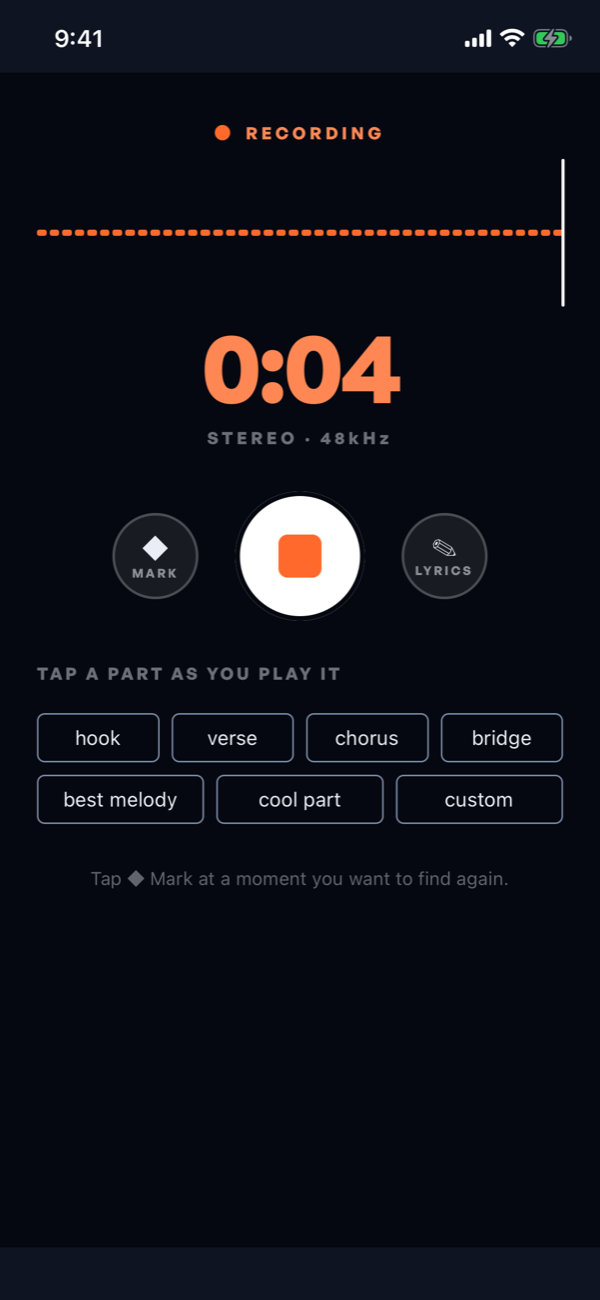
Tap once and sing. Recording keeps the very start of the idea, so the first syllable is never clipped.
Safe on your phone first
Every take is saved on your iPhone before anything else happens, then backed up.
Mark the moment
Tap Mark at a moment you want to find again, or tap the part you’re playing (verse, chorus, hook) as it happens.
Songs, not a pile of memos
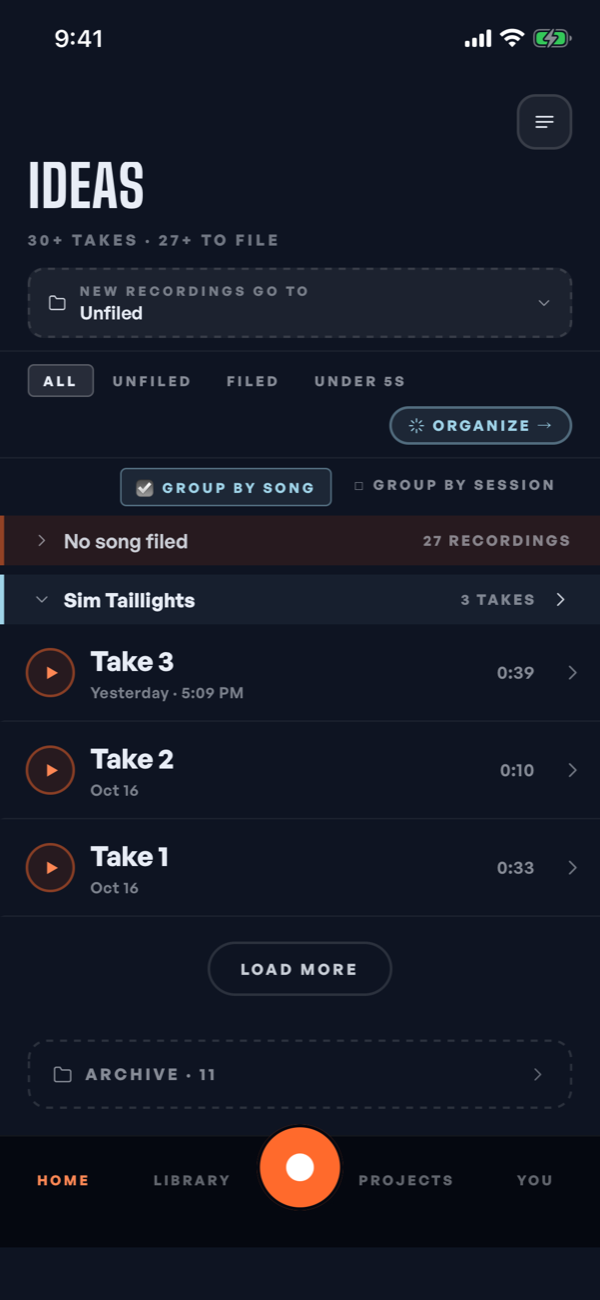
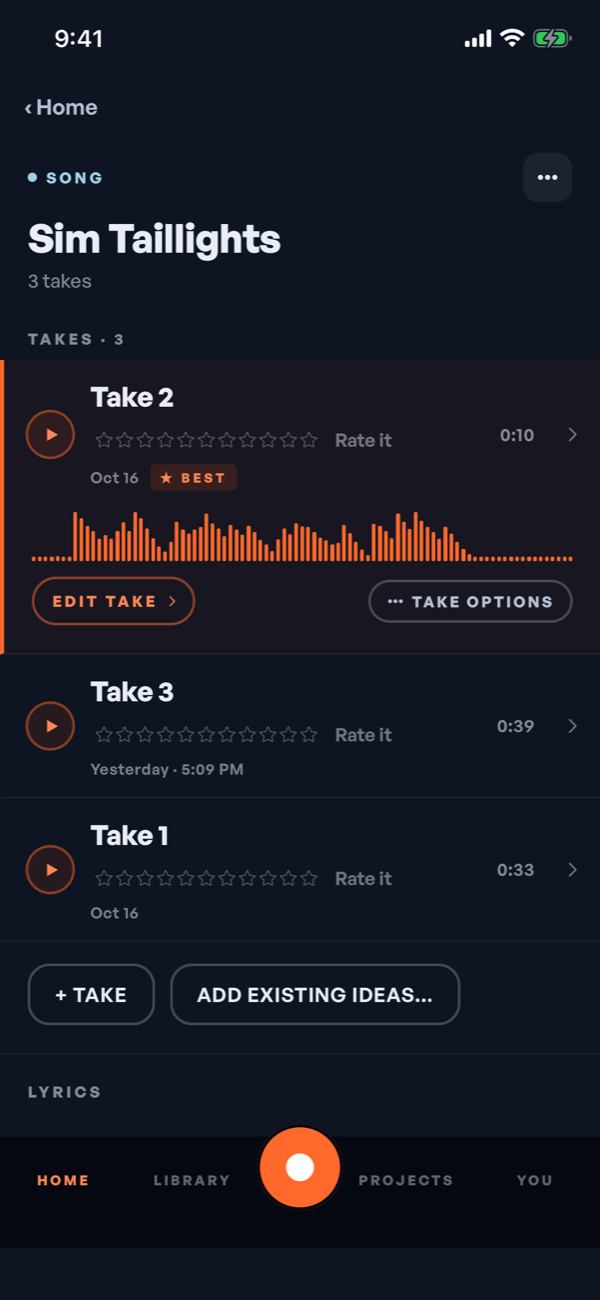
Takes live inside songs, and your Ideas list groups them that way. SongKnife even suggests a title from the chorus.
02 Write
Write it
Turn what you sang into lyrics, with the takes right beside the page.
Hear it, then read it
SongKnife transcribes what you sing on the phone, so the lines you half-mumbled are there to read.
The Lyrics Pad
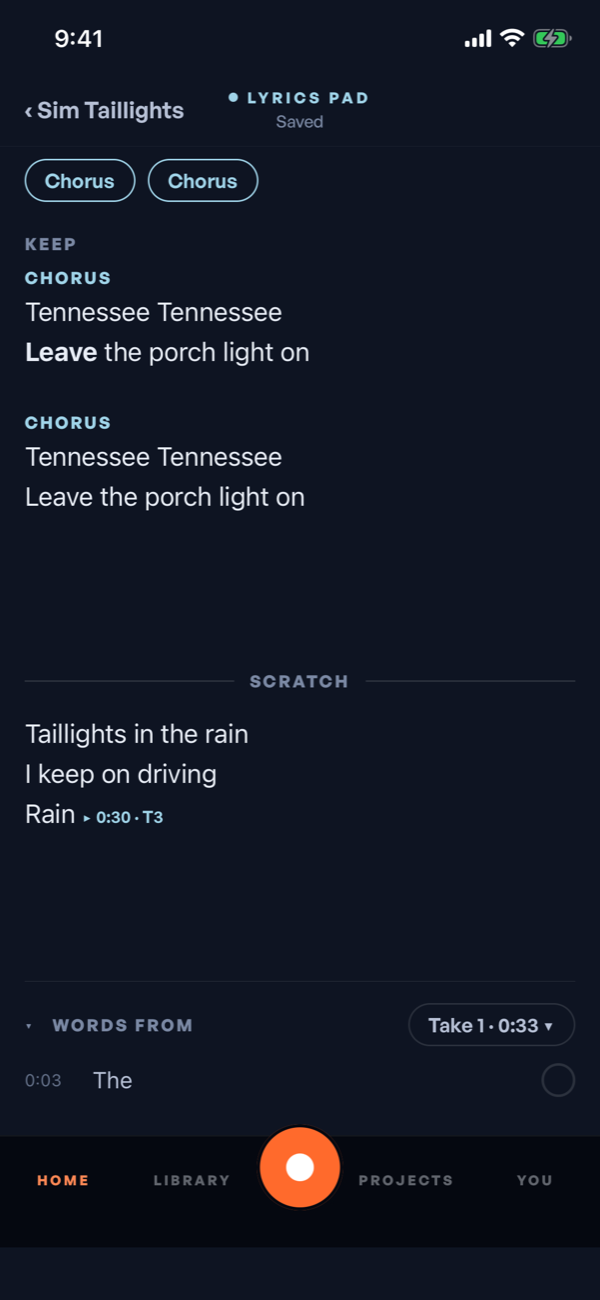
One pad for each song. Keep holds the lines you’re sure of, Scratch holds everything else, and parts keep your verses and chorus in order.
Rhymes and your own words
Find rhymes without leaving the pad, and pull in words from your takes when a line needs finishing.
Lines that remember
A line you write while recording is stamped to that moment in the take, so you always know where it came from.
Inspiration
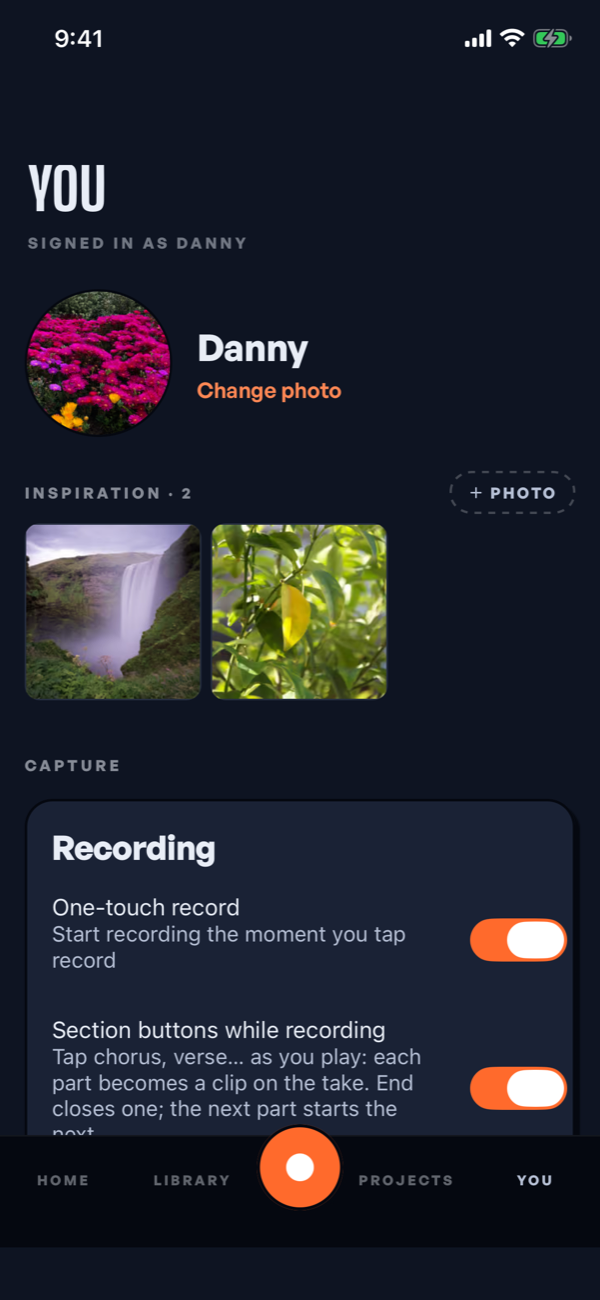
Add photos to a song, a project or your profile: the place, the person, the picture that started it.
03 Together
Write it together
Bring your co-writers in when the song is ready for them, and settle who wrote what while everyone still remembers.
Shared projects
Share a project with the people you write with, and give each of them a role.
Listen links
Send anyone a link. They can listen, rate and mark their favorite moments, no app needed.
FlexSplit writer splits
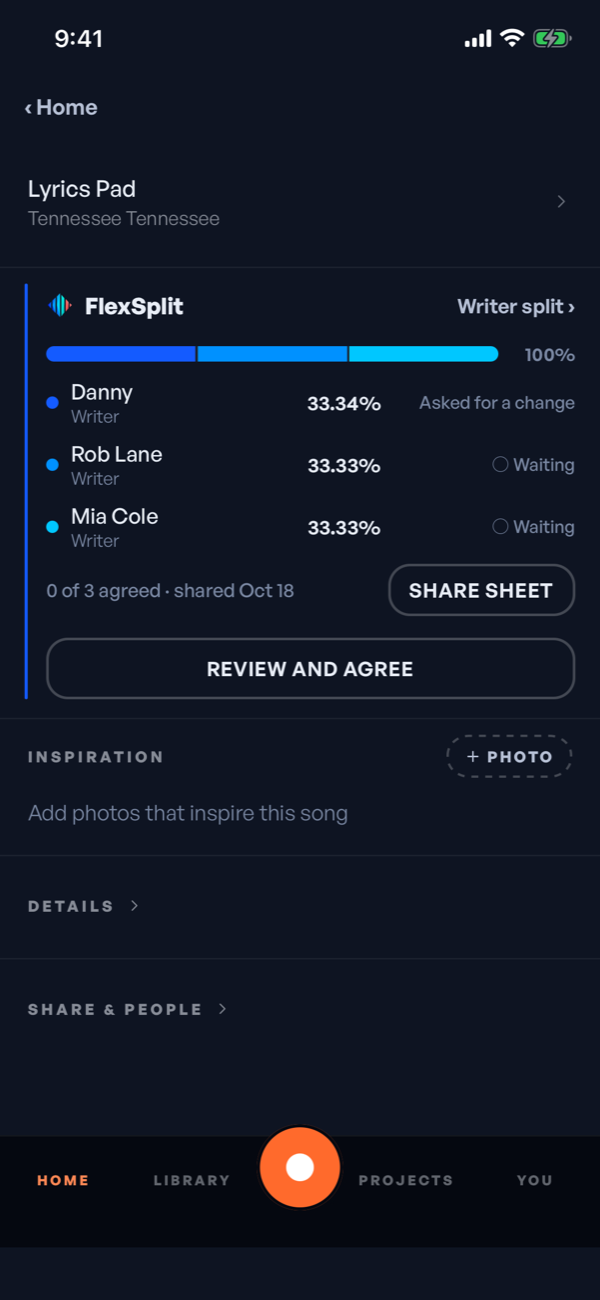
Write down who wrote the song and each writer’s share, to two decimal places. The split is settled when everyone agrees.
never lose that idea. ever.
Get on the waitlist
SongKnife is in a small beta on iPhone. Leave your email and we’ll let you in as it opens up.
Only for SongKnife news. No spam, and you can ask us to remove you any time.